
Stanford AI Playground: What It Is and How to Access It
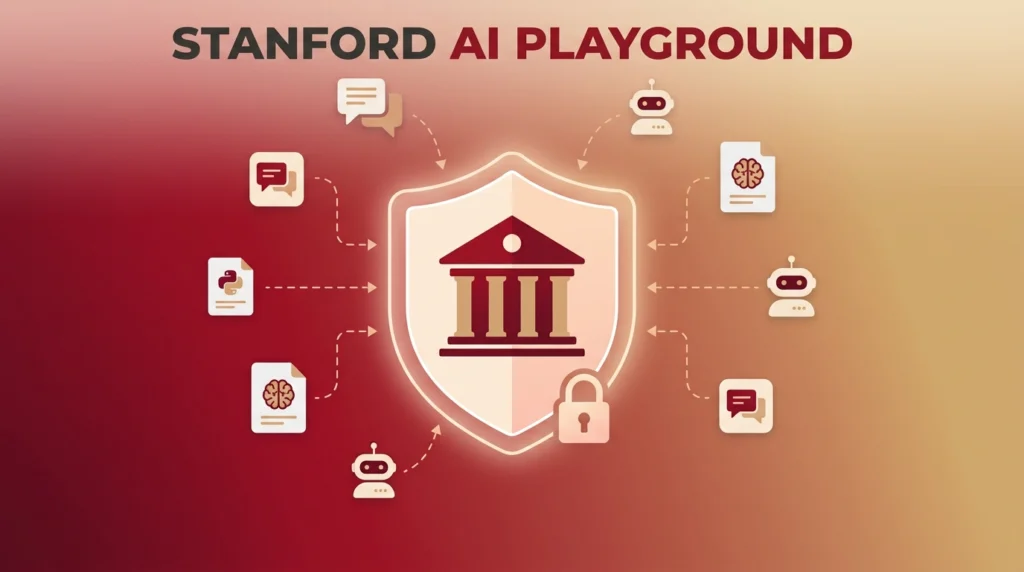
The Stanford AI Playground is a real, specific platform built by Stanford University IT, not a general concept or a marketing term some sites make it out to be. In fact, it gives Stanford’s community a single, secure place to test multiple AI models like ChatGPT, Gemini, and Claude, without signing up for each one separately.
Here’s what it actually does, who can use it, and how to log in if you’re eligible.
What Is the Stanford AI Playground?
Stanford launched the AI Playground in fall 2024 as a pilot through University IT. It runs on LibreChat, an open-source chat platform, and gives users access to multiple large language models in one interface. As a result, there’s no more juggling separate accounts and subscriptions across providers.
The platform grew fast. For example, within its first year, it passed 6,900 users across Stanford faculty, staff, and students. During that same stretch, it generated more than 1.4 million messages and processed over 35 billion tokens. Since then, University IT keeps adding new models and features on a near-monthly basis, often in direct response to requests from the Stanford community.
Who Can Access the Stanford AI Playground?
Access requires a full-service SUNet ID. In other words, Stanford restricts the platform to its own affiliates: active faculty, staff, students, postdocs, visiting scholars, sponsored affiliates, and fellows. If you’re not affiliated with Stanford, you can’t log in, because the platform sits behind Stanford’s single sign-on system and isn’t open to the public.
This matters because a fair number of people searching for this tool aren’t Stanford-affiliated and are hoping for general public access. However, that access simply doesn’t exist here. Instead, anyone wanting a similar multi-model comparison experience without a university affiliation would need a commercial alternative.
Which AI Models Are Available?
The Stanford AI Playground gives you access to models from several major providers in one place, including OpenAI’s ChatGPT, Google’s Gemini, and Anthropic’s Claude. Additionally, the platform has expanded to include DeepSeek and Meta’s Llama, alongside newer versions of the original models as they release.
A secure, local version of DeepSeek runs entirely within Stanford’s own environment. Specifically, Stanford built this as a deliberate safety measure. Because of that, the university explicitly advises against using DeepSeek’s own hosted models or mobile app for any university business, since data sent to DeepSeek’s servers directly isn’t subject to the same protections as the version hosted inside the Playground.
Key Features
Multiple models, one login. Instead of separate accounts for ChatGPT, Gemini, and Claude, the Playground puts them behind a single Stanford sign-on. As a bonus, you can compare responses to the same prompt side by side.
Built-in plugins. DALL-E for image generation, Wolfram for computation and math, and Google web search with webpage scraping are all available as add-ons inside the platform. Together, these extend what you can do beyond a plain chat interface.
Advanced AI Assistants. These help with more complex, multi-step tasks rather than single back-and-forth prompts.
Shareable conversations. You can share a conversation thread with colleagues. For instance, this is useful for collaborative work or demonstrating a specific prompt technique to someone else on campus.
Data security controls. The platform is approved for high-risk, non-PHI data, meaning it can handle sensitive university information short of protected health information. Meanwhile, all conversation data stays within Stanford’s own systems rather than getting processed by an outside vendor directly.
What You Can’t Do on the Stanford AI Playground
The platform explicitly prohibits Protected Health Information (PHI) in any prompt or attachment, even though it’s cleared for other high-risk data categories. So if your work involves PHI, the Playground isn’t the right tool, regardless of which model you’re using inside it.
It’s also worth remembering this is a learning and experimentation environment, not a guaranteed source of truth. Stanford’s own guidance reminds users that the underlying models can still produce errors or hallucinations. Therefore, check results rather than trusting them verbatim, particularly for anything used in official university business.
How to Log Into the Stanford AI Playground
- Go to aiplayground.stanford.edu.
- Log in with Single Sign-On (SSO) using your full-service SUNet ID.
- Set your consent duration preference on the Information Release page, which typically appears on your first visit. This step is part of Stanford’s authentication system and doesn’t share your data outside university systems.
- Click Accept to continue into the Playground.
- Enter a prompt in the empty field on the welcome screen and press Enter to start a conversation.
Why Stanford Built Its Own AI Playground Instead of Using Commercial Tools Directly
The reasoning comes down to security and equitable access. Specifically, letting faculty, staff, and students use commercial AI tools directly means sensitive university data could leave Stanford’s control entirely, with no consistent policy across which tools people choose on their own. By contrast, centralizing access through one Stanford-managed platform keeps data inside university systems. At the same time, the community still gets access to the same leading models they’d otherwise have to pay for individually.
As Joshua Barnett, Stanford’s Director of Enterprise Infrastructure Architecture, puts it, the goal is equitable access to AI technology so the entire community benefits, not just those who can afford or navigate multiple separate subscriptions.
Frequently Asked Questions
Is the Stanford AI Playground free? Yes. It’s free of charge for all eligible Stanford faculty, staff, students, postdocs, visiting scholars, sponsored affiliates, and fellows.
Can non-Stanford people use the AI Playground? No. Access requires a full-service SUNet ID and Stanford single sign-on. Therefore, it isn’t available to the general public or to people outside Stanford’s active community.
What AI models does the Stanford AI Playground support? It includes ChatGPT, Gemini, Claude, DeepSeek (a secure local version), and Meta’s Llama, along with plugins like DALL-E for images and Wolfram for computation.
Is the Stanford AI Playground safe for sensitive data? It’s approved for high-risk, non-PHI data, and conversation data stays within Stanford systems. However, Protected Health Information is explicitly not allowed on the platform, regardless of which model you’re using.
Is the Stanford AI Playground the same as ChatGPT or Gemini? No. Instead, it’s a Stanford-managed interface, built on the open-source LibreChat platform. It gives you access to multiple providers’ models, including ChatGPT and Gemini, in one place, rather than being a product of any single AI company.
Bottom Line
The Stanford AI Playground is a genuine, actively growing platform, not a marketing buzzword. Overall, it gives Stanford’s community secure, free access to multiple leading AI models in one login. If you’re part of that community, it’s a straightforward way to compare models and experiment without juggling separate accounts.