
playground.bfl.ai: Complete Guide to the FLUX Playground
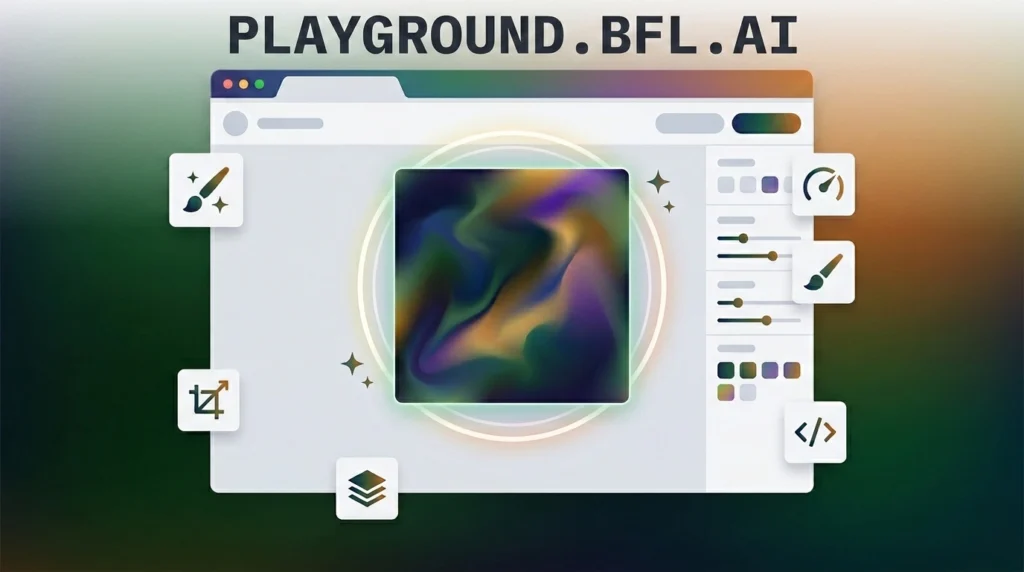
Playground.bfl.ai is Black Forest Labs’ browser-based sandbox for testing its FLUX image models without writing any code. Pick a model, type a prompt, generate an image, and see exactly how it performs before deciding whether to build on the actual API.
Here’s what you can do on it right now, which FLUX models are available, what it costs, and one thing worth knowing before you assume you’re testing BFL’s newest technology.
What Is playground.bfl.ai?
Black Forest Labs launched the Playground in May 2025 alongside FLUX.1 Kontext, its in-context image generation and editing model. The goal was straightforward: let developers and teams validate a use case, demonstrate results to stakeholders, or just experiment before committing to a full API integration.
Think of it as a bridge, not an endpoint. You test in the Playground, confirm a model does what you need, then move straight into production using the same configuration you already validated.
Which FLUX Models Can You Use in the Playground?
The Playground gives you access to several models under one interface, and each fits a different job.
FLUX.2 [max] is the top-tier model, including a grounding search feature that pulls in real-time information to inform image generation. This helps when you need current or factual context reflected in the output.
FLUX.2 [pro] balances quality and cost for most standard generation tasks.
FLUX.2 [flex] and [klein] offer lighter, faster options when you don’t need the top model’s full capability for a given prompt.
FLUX.1 Kontext [pro] and [max] handle context-aware editing. You can prompt with both text and an existing image to modify or extend it, rather than generating purely from scratch.
FLUX.2 also supports multi-reference editing. Upload several reference images at once to combine elements, keep a character consistent across generations, or guide a specific pose or style.
Core Features Inside the Playground
Generate, Fill, and Expand cover the three main workflows: creating a new image from a prompt, filling in a masked area of an existing image, or extending an image’s canvas outward.
Library, History, and Assets save every generation automatically. You can revisit past prompts, compare variations, and reuse assets across projects instead of starting from zero each session.
Customize, Styles, and Presets let you save specific configurations, aspect ratios, and style settings you like. That way, you’re not rebuilding the same setup manually every time.
Lab offers a space for testing newer or more experimental features before they roll out more broadly.
How to Use playground.bfl.ai
- Go to playground.bfl.ai and sign in. No credit card is required to start.
- Select a model from the picker, choosing based on your task: FLUX.2 [max] for top-tier quality with grounding search, [pro] or [flex] for standard work, or FLUX.1 Kontext for editing an existing image.
- Write your prompt. Upload reference images first if you’re using multi-reference editing or Kontext’s context-aware editing.
- Generate and review the output, adjusting aspect ratio or style presets as needed.
- Download the image directly by clicking the download icon, available immediately after generation.
- Click “API Code” in the top right corner of any successful generation. This gives you ready-to-use Python, JavaScript, or cURL code, letting you move straight from a Playground test into a real API call with the exact same configuration.
playground.bfl.ai Pricing: What’s Free and What It Costs
New accounts get 50 free credits with no credit card required. That’s enough to test the Playground’s core features and get a real feel for output quality before spending anything.
Pricing beyond the free credits runs on a simple flat-rate system: $10 for 1,000 credits, $50 for 5,000, or $100 for 10,000, working out to $0.01 per credit regardless of how much you buy. A single Pro-tier image generation costs 4 credits, meaning each image runs roughly $0.04 once you’re on paid credits.
There’s no subscription tier to manage. You buy credits, use them at your own pace, and top up when you run low.
What’s Missing From the Playground Right Now: FLUX 3
Here’s something worth knowing if you’re evaluating Black Forest Labs’ current capabilities. In July 2026, BFL launched FLUX 3, a genuinely different kind of model: a multimodal system trained jointly on images, video, and audio, capable of generating up to 20-second video clips with synchronized sound. The same architecture also powers early robotics work through a partnership with Mimic.
FLUX 3 hasn’t reached the public Playground yet. It launched in staged, gated early access, with video and action-prediction modes opening first and image generation following in subsequent weeks. No
In practical terms, playground.bfl.ai currently gives you BFL’s established, production-ready FLUX.2 and FLUX.1 Kontext lineup, not their newest multimodal research. Anyone specifically needing FLUX 3’s video or audio capabilities would need to apply for early access separately, since it isn’t part of the standard Playground.
Frequently Asked Questions
Is playground.bfl.ai free to use?
Yes, to start. New accounts get 50 free credits with no credit card required. Beyond that, credits are purchased at a flat $0.01 each, with a single Pro image costing roughly 4 credits.
What models are available on playground.bfl.ai?
FLUX.2 [max], [pro], [flex], and [klein], along with FLUX.1 Kontext [pro] and [max] for context-aware image editing. FLUX 3, BFL’s newest multimodal model, is not yet available on the standard Playground.
Do I need to know how to code to use the FLUX Playground?
No. It’s built as a no-code sandbox. Select a model, write a prompt, and generate images directly in your browser, with the option to generate matching API code afterward if you want to build on it.
Can I edit an existing image in the Playground, not just generate new ones?
Yes. FLUX.1 Kontext supports context-aware editing using both text and image prompts, and FLUX.2 supports multi-reference editing, letting you upload multiple images to guide the output.
Is FLUX 3 available on playground.bfl.ai?
Not yet. FLUX 3 launched in gated early access in July 2026, with video and action-prediction access opening first. That’s a separate application process from the standard Playground.
Bottom Line
playground.bfl.ai gives you a genuinely useful way to test Black Forest Labs’ FLUX models before committing to the API. It offers a real free tier, straightforward flat-rate pricing, and a workflow that takes you from prompt to production-ready code in a few clicks. Just know that it currently reflects BFL’s established FLUX.2 and Kontext lineup rather than FLUX 3, their newer multimodal model still rolling out through gated early access.
DOWNLOAD NOW