
Windsurfer AI Explained: What It Does, Who It’s For, and Why It’s Now Called Devin Desktop
If you’ve searched “Windsurfer AI” recently and landed on a screen that says “Devin Desktop,” you didn’t take a wrong turn. You’re in the right place. The product just changed its name.
That mix-up is actually the perfect entry point for this guide. Most content about Windsurfer online is either outdated, developer-only, or both. This piece is different. We’ll cover what the tool actually does, who it’s genuinely useful for, and what changed in the rebrand. Spoiler: more people than you’d think find it useful. We’ll also compare it to Cursor, minus the jargon, without pretending nothing’s changed since 2024.
What Is Windsurfer AI?
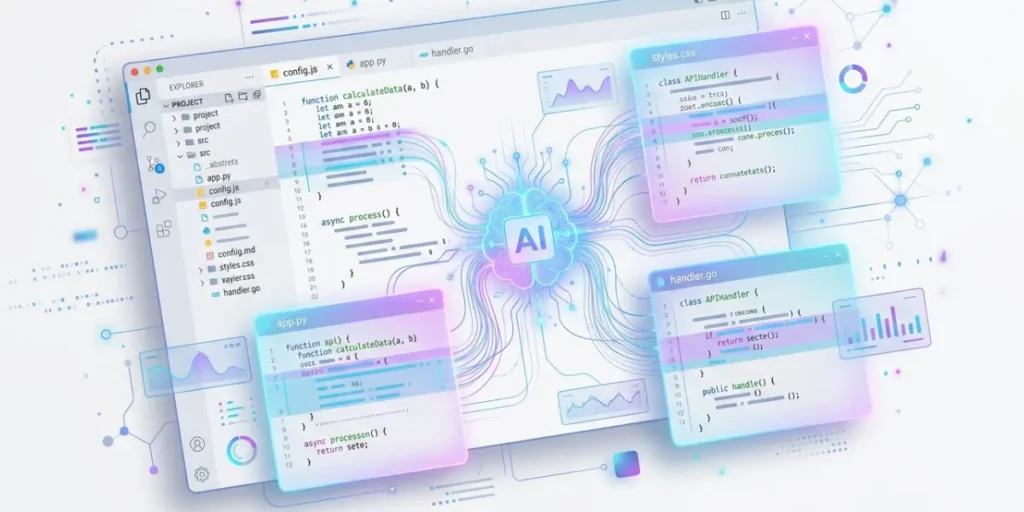
At its core, Windsurfer is an AI-native code editor. Think of it as a version of VS Code, the free editor millions of developers already use. But instead of bolting AI on as a plugin, Windsurfer builds AI into the foundation.
Instead of just suggesting the next line of code as you type, it reads your entire project and understands how the pieces connect. Then it can make coordinated changes across multiple files at once.
A company called Codeium built it and launched it in November 2024. It quickly became known for an agent called Cascade, essentially the “brain” of the editor. Give it a plain-English instruction like “add user login with email and password,” and it would actually implement it, not just describe how you’d do it.
Here’s the part most articles skip: on June 2, 2026, Windsurfer officially became Devin Desktop. Cognition, the company behind an autonomous AI engineer called Devin, had acquired Windsurf’s product, team, and brand back in July 2025. The rebrand was the final step in folding Windsurf into their lineup. If you open the app today, you’ll still recognize the editor, extensions, and keyboard shortcuts from Windsurf. It’s the same tool wearing a new name, not a different product.
We’ll use “Windsurf” throughout this guide, since that’s still how most people search for it. But we’ll flag the current name and features where it matters.
If you’re a developer, feel free to jump ahead to the features and pricing sections. If you’re a marketer, student, or business owner trying to understand what this thing actually is, keep reading. The next two sections are for you.
The Windsurfer Devin Desktop Rebrand: What Actually Changed
Let’s get the confusing backstory out of the way in three sentences. Windsurfer built up serious momentum through 2025, and multiple companies wanted it. OpenAI reportedly had a deal in the works that fell apart. Google then hired away Windsurf’s CEO and a co-founder in a separate licensing arrangement. Days later, Cognition swooped in and bought what remained: the product, the IP, and the rest of the team. Almost a year after that acquisition closed, Cognition finally merged the branding, and Windsurfer became Devin Desktop.
If you were already using Windsurf, here’s what you’ll notice:
What stayed the same: your plan, your pricing, your installed extensions, your keybindings, your language server setups. The update rolled out automatically no reinstalling, no migration wizard, no re-authenticating your account.
What actually changed:
- The default screen. Instead of opening straight into your code, Devin Desktop now opens to an “Agent Command Center.” This is a Kanban-style board showing every AI agent you have running, whether it’s editing code locally on your machine or working in the cloud. It’s a genuinely different mental model. Instead of “I’m writing code with AI help,” it becomes “I’m managing a small team of AI agents and checking in on their work.”
- Cascade became Devin Local. Cognition rebuilt the original agent, Cascade, from scratch in Rust. Cognition says it’s roughly 30% more token-efficient and can now spin up “subagents” to handle parts of a task in parallel. For example, say you ask it to refactor a database layer and update the tests to match. One subagent can handle the schema changes while another writes the tests, and they report back together. Cognition retired Cascade itself on July 1, 2026. So if you’re following an older tutorial that references it by name, that workflow no longer exists in its original form.
- Support for the Agent Client Protocol (ACP). This is a technical detail with a practical payoff. It’s an open standard that lets other AI agents like OpenAI’s Codex or Google’s Gemini run inside the editor, instead of locking you into Cognition’s own agent. If your team already has a favorite AI assistant, you don’t have to abandon it just to use this editor.
Why does any of this matter if you’re not a hardcore developer? It shows the tool is actively evolving under new ownership, with real funding behind it. Cognition raised over $1 billion at a $26 billion valuation in May 2026. That’s a reasonable thing to factor in if you’re deciding whether to build a workflow around it long-term.
Who Windsurfer AI (Devin Desktop) Is Actually For
This is where most coverage falls short. It either assumes you’re already a senior developer, or it oversells the tool to everyone regardless of fit. Here’s an honest breakdown by audience.
Developers. This is the core audience, full stop. If you’re comfortable in a code editor, this gives you multi-file refactors, terminal command execution, and an AI that can plan a task before touching your code. That’s genuinely useful for anything from a solo side project to a large existing codebase.
Startups and entrepreneurs. If you’re trying to build an MVP without hiring a full engineering team yet, a tool like this narrows the gap. It won’t replace a developer entirely. But a technical co-founder or a single contractor can move noticeably faster with it, which matters when runway is tight.
Freelancers. The cross-editor support is the sell here. If one client’s codebase lives in JetBrains and another’s is in VS Code, you’re covered either way. You don’t have to relearn a whole new tool for each one. Windsurf’s AI features are available as plugins across 40+ editors, not just its own standalone app.
Designers. Relevant mainly if you’re already working with design-to-code handoffs. For example, you might pair it with a Figma plugin that converts a design frame into markup, then use the AI agent to wire up the interactivity. On its own, though, it’s not a design tool, so don’t expect it to replace Figma or a prototyping app.
Key Features Worth Knowing
- Devin Local is the current agent (successor to Cascade). Give it a plain-English task; it plans an approach, then executes changes across your files.
- Tab / Supercomplete: inline autocomplete that predicts entire lines or blocks, not just single words.
- Codemaps: a visual map of how your codebase’s files and components connect. Genuinely helpful when you inherit a project you didn’t write.
- Agent Command Center: the Kanban board mentioned earlier, useful once you’re running more than one agent task at a time.
- Cross-IDE support plugins for JetBrains, Vim/Neovim, and Xcode so you’re not locked into one editor the way you are with some competitors.
- ACP support: plug in third-party AI agents instead of relying only on Cognition’s own.
Windsurfer AI Pricing (2026)
Pricing in this space shifts often, so treat any number here as a snapshot, not gospel. Check the official pricing page before you commit. As of mid-2026, the general structure includes a free tier for casual use and a Pro plan in the $15–20/month range. There’s also a Team plan with per-seat pricing on top of a base fee, and custom Enterprise pricing for larger organizations.
One thing worth understanding before you subscribe: billing is largely usage- or credit-based rather than a flat unlimited rate. That’s fine if your usage is predictable. But if you’re a freelancer or a solo founder with bursty workloads quiet for two weeks, then a 12-hour crunch before a launch watch your usage closely. Check it in the first billing cycle so you’re not caught off guard.
Windsurfer AI (Devin Desktop) vs. Cursor
The honest answer is: it depends on how you like to work, not which tool is objectively “better.”
Cursor is a VS Code fork built for developers who want tight, granular control. You point it at specific files, review changes closely, and stay firmly in the driver’s seat. It has the largest user base and community right now. That means more tutorials, more shared troubleshooting, and faster answers when something breaks.
Windsurf/Devin Desktop leans more autonomous. You hand off a task and let the agent plan and execute more of it independently. That’s historically made it feel friendlier for beginners who don’t want to micromanage every step. Its cross-editor flexibility is also a real advantage if your team doesn’t standardize on one tool.
One thing worth knowing before you pick a side for the long haul. 2026 has been a volatile year of ownership changes in this space. Cognition just closed a major funding round, and Cursor’s own parent company has fielded serious acquisition interest. Neither situation is a red flag exactly. But if you’re building a workflow you expect to rely on for years, it’s worth a quick check-in on both companies’ status every so often rather than assuming today’s product will look identical in twelve months.
How to Get Started with Windsurfer AI (Devin Desktop)
Getting started takes about five minutes. Download the app, sign in, and either open an existing project folder or start fresh. From there, try something small first. Ask it to “add a dark mode toggle to this page,” or if you’re brand new, try something as simple as “explain what this file does.” That’s a great first move for students or anyone new to reading code. It turns the AI into a tutor before you ever ask it to change anything.
The free tier is the natural starting point if you’re just evaluating whether this fits how you work. There’s no reason to commit to a paid plan before you’ve spent a week actually using it.
Frequently Asked Questions
Is Windsurfer AI still called Windsurf? No. As of June 2, 2026, it’s officially Devin Desktop. “Windsurf” still works as a search term, and many people continue to call it that out of habit.
What happened to Cascade? Cascade was Windsurf’s original AI agent. Devin Local, a faster, more efficient rebuild, replaced it. Cognition fully retired Cascade on July 1, 2026.
Is Windsurfer AI free? There’s a free tier with limited usage, plus paid plans that scale up based on how much you use it. Check current pricing before committing, since it changes.
Is Windsurfer AI good for beginners? Yes, relative to some competitors. Its more autonomous, plan-then-execute style tends to require less manual setup than tools built around granular manual control.
Windsurfer AI vs. Cursor: which is better? Neither wins outright. Cursor suits developers who want tight manual control and the largest community. Windsurf/Devin Desktop suits people who want more autonomy from the AI and flexibility across different editors.
Does Windsurfer AI work outside of VS Code? Yes. Its AI features are available as plugins across more than 40 editors, including JetBrains, Vim/Neovim, and Xcode, not just its own standalone app.
DOWNLOAD